

GuliKit ES Max Review
Mostly great gamefeel, with a couple nasty caveats.
GuliKit graciously provided NoGameOvers with a copy of this product. No financial compensation was received or will be received for this article, and GuliKit was neither offered nor given editorial control. All opinions are solely the author’s.
I don't often use third party accessories for gaming. Generally I prefer to go straight to the source and get my DualSenses and Pro Controllers because I know they'll be of a certain quality and build. Third party stuff on the other hand, tends to be incredibly lacking in features, or execution, since they sometimes have to use workarounds to achieve the same functionality. Surely, however, there must be some diamonds in the rough, right? Enter GuliKit. They're a Chinese outfit that's existed since the mid 2010's, and they specialize in gaming peripherals and accessories. They've been kind enough to provide our rinky-dink operation with their latest controller, the ES Max, so I'll return the favour and offer my honest assessment of the device!
GuliKit's big claim to fame here is what they call their "Integrated TMR Joysticks". For those not in the know (I wasn't until I was researching for this article), TMR stands for Tunnel Magnetoresistance. Instead of being driven by potentiometers or Hall Effect voltage sensors, TMR joysticks detect their input by way of electrical resistance changes in a magnetic field. This technology effectively eliminates stick drift, and the sensor doesn't physically wear because of the contactless nature of the sensor.
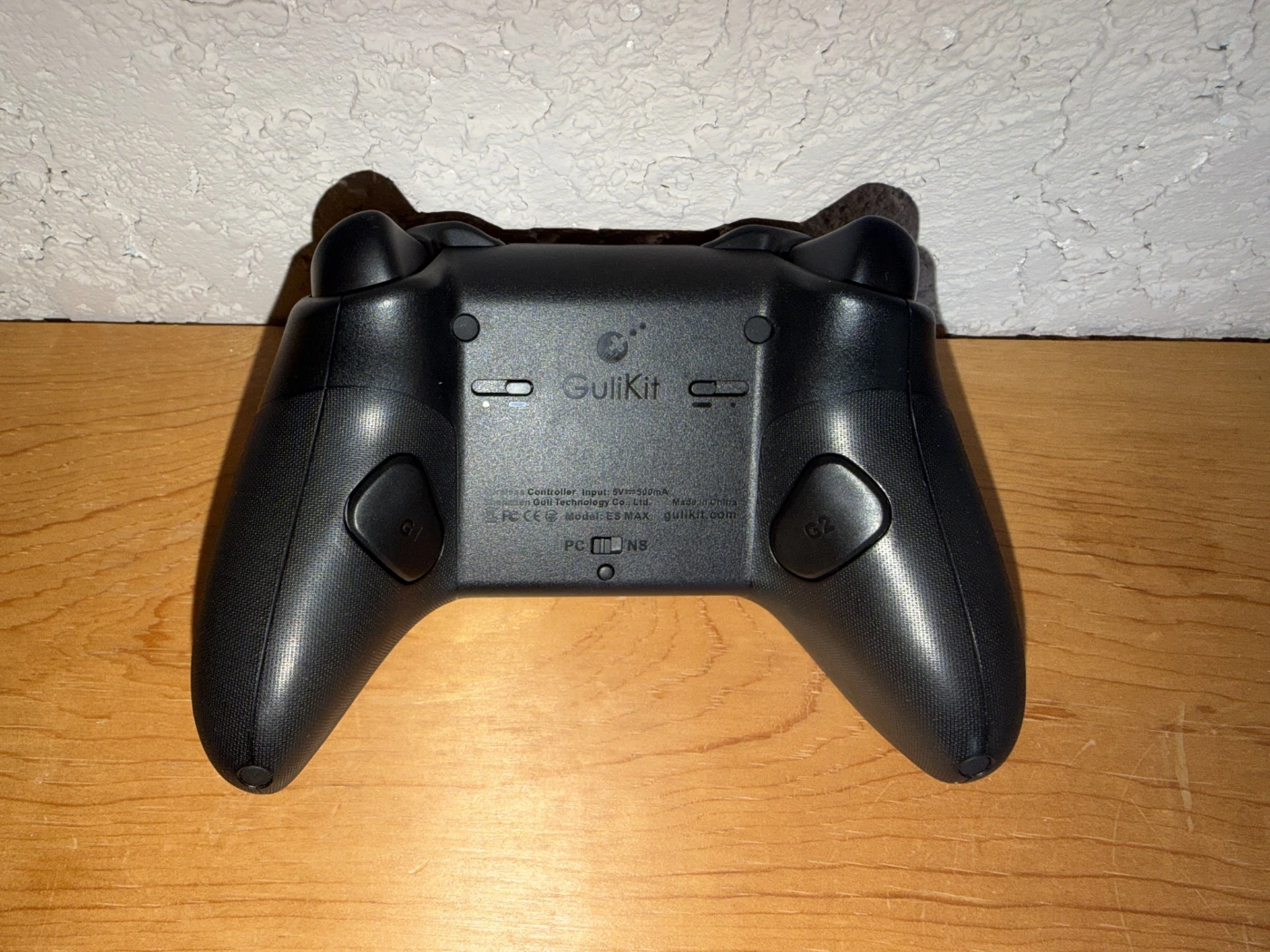
GuliKit advertises full compatibility with PC and Switch systems, including wake-up capabilities for both Switch 1 and 2. It has 2 programmable back buttons, adjustable triggers (analog or digital settings), replaceable joystick caps, swappable face buttons, and the whole package comes with GuliKit's Hyperlink 2 Adapter (sold separately for most of GuliKit's other SKUs) for getting yourself connected to PC.
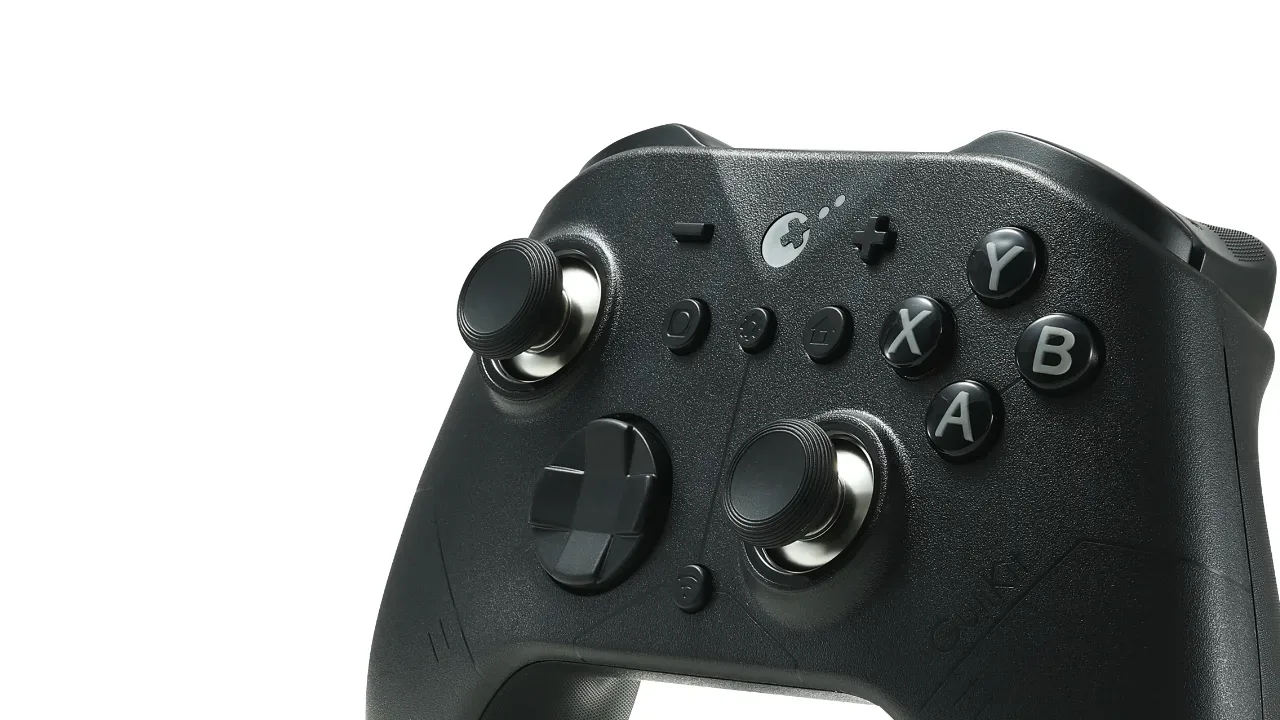
With all of that out of the way, I have to say that at first blush, I was quite impressed with the look and feel of the controller. The body is maybe a hair smaller than a Series controller but almost identical in shape. There is some subtle cosmetic line work over the body, and they opted to keep the product feeling premium and grown-up by going monochrome. There's a bit of metal (or maybe painted plastic?) trim at the base of the joysticks, adding to the pro-feel. The plastic shell has a pleasant texture that's just grippy enough, and the whole thing is just weighty enough to not feel cheap; I even weighed it. The ES Max comes in at about 230 grams, which is just a few grams lighter than a Switch 2 Pro Controller, or about 70 grams less than an Xbox Series controller with batteries in it. Despite being fairly light, it does not feel flimsy. I applied some twisting force to the controller and didn't feel any meaningful give. This is a controller designed for intense and lengthy sessions.
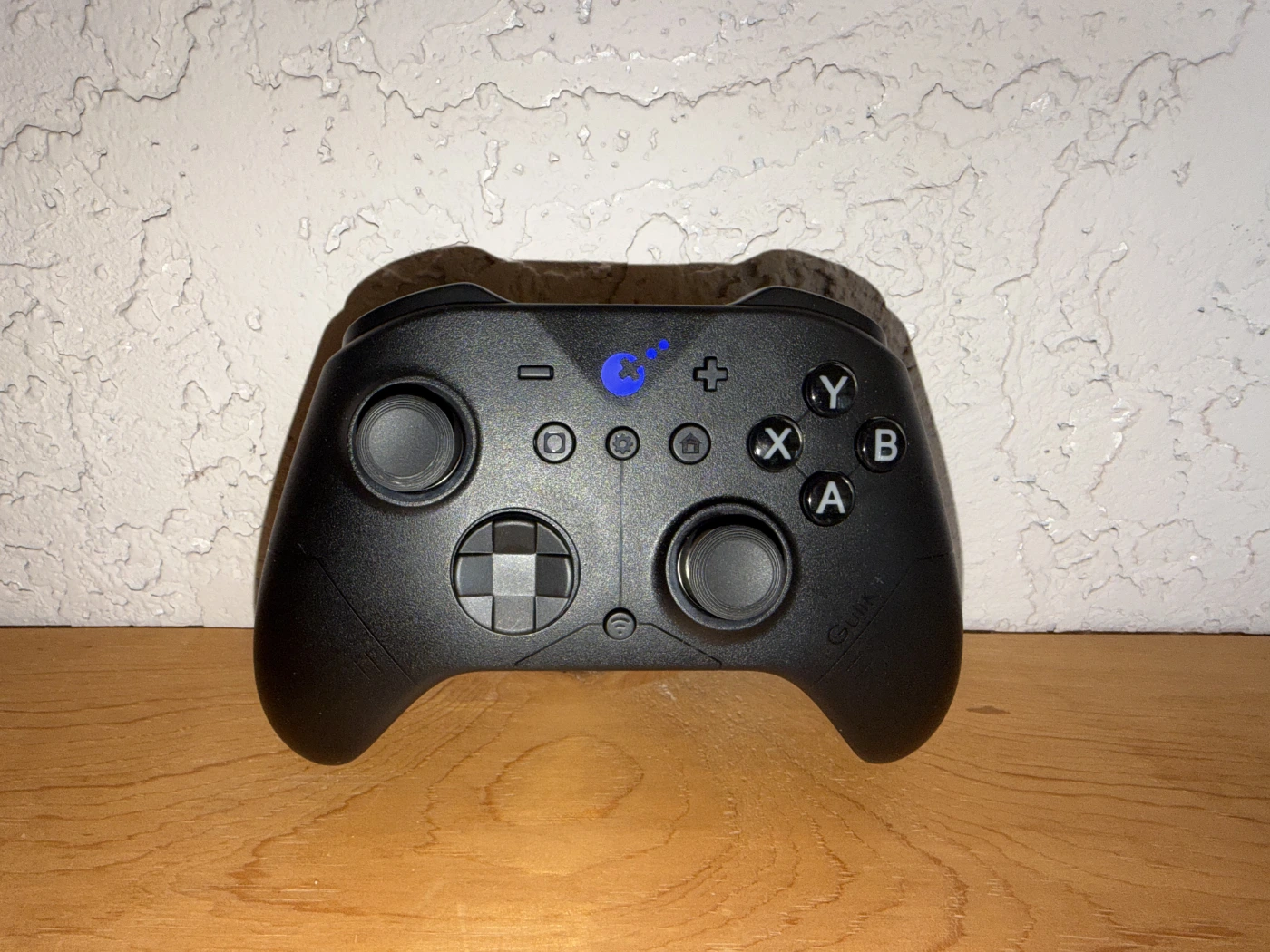
The joysticks feel mostly great. They're snappy and smooth, with just the right amount of resistance out of the box for my taste. However, the L3 and R3 action of clicking the sticks only feels good when the stick is in a neutral position. When the stick is tilted in a direction, it requires considerably more force to perform a click. This issue is so pronounced that it would distract me from my game entirely, it was so uncomfortable. The face buttons feel tactile and satisfying, but the most direct comparison I could make is my well used Xbox Series controllers that might be a little squishier than they used to be. It's possible that a brand new Xbox pad would have better button feel. Either way, in a vacuum, the buttons on the ES Max feel great. So too do the triggers and the bumpers (do people still call them bumpers?). I'm particularly fond of the lack of a sharp clicking sound on the ES Max bumpers, which is present across all my Xbox controllers. The sound is somewhere in the middle of two extremes, between that harsh Xbox click and the softer action of a Pro Controller, and I consider this to be the sweet spot.
There are toggle switches on the back of the controller that switch the triggers between analog and digital modes. When switched to digital mode, the trigger travel is reduced to that of a regular button. This could be useful for twitchy shooter games, or if you're playing Switch software that has no use for the analog travel. Each trigger has its own toggle switch, so you could also opt to have just your left or just your right trigger be in digital mode. This is a nice touch, though I freely admit that I have no idea whether or not that's standard among this controller's contemporaries.
GuliKit also provides an app that allows the user to change the controller's various settings on the fly. Stick sensitivity, button remapping, trigger dead zones, and even RGB control of the centre light are all able to be adjusted from this app, among other settings. These settings are accessible from your smartphone without unpairing your controller from the device you're actually gaming on, which is pretty novel. I wasn't able to access this app functionality at first - the app would just load forever and never connect to the controller properly. However, it seems that at some point GuliKit dropped an update for the app that got it working on my iPhone 17 Pro Max. Points to them for solving a pretty big problem with this package before I was forced to dock them points in this review.
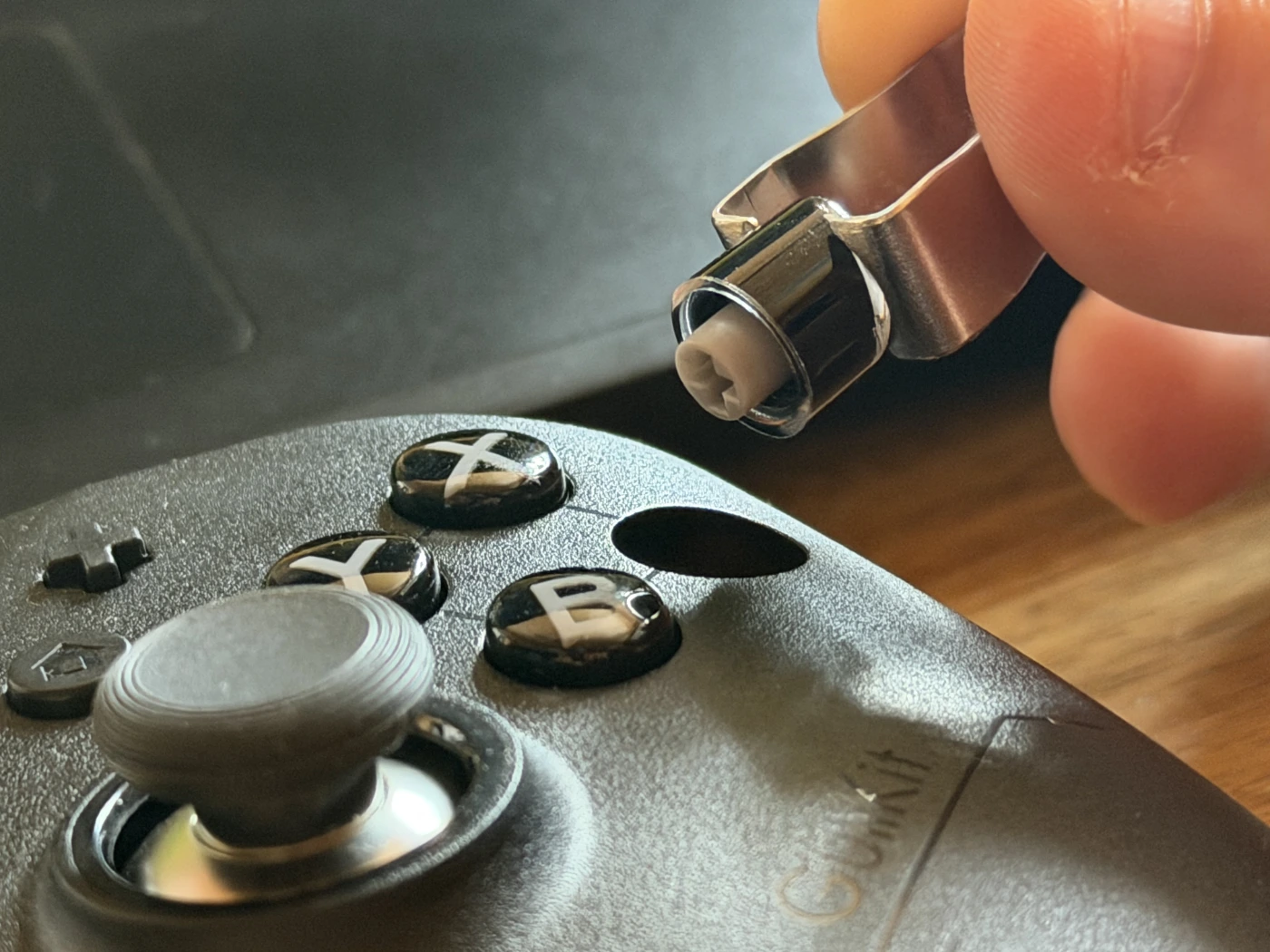
GuliKit also sent along a set of Nintendo-layout buttons to swap into the controller. This was an absolute breeze. The kit comes with a custom set of button tweezers that pull the buttons right out of their sockets, and the new buttons fit right in. No screws or know-how required.
Unfortunately, not everything is sunshine and rainbows when using the ES Max on a PC. Connecting via the dongle with the controller in PC mode seems to work just fine, but the PC detects it as an Xbox 360 controller. This means that a lot of the controller's functionality simply isn't present via XInput, since it believes that the controller doesn't have any gyro or rear buttons. A workaround for this appeared to be to switch the controller to NS mode, pair it as a Bluetooth controller, which the computer reads via DirectInput. In this way you can gain access to the controller's full suite of control options. This makes the dongle somewhat useless in the end, and is, unfortunately, incredibly unintuitive to the average user, and were I an accessory engineer, I wouldn't expect the customer to figure out this workaround on their own.
I played the back half of Remedy's outstanding Control (in preparation for Control Resonant - stay tuned!) using the ES Max at its stock settings, since I couldn't adjust the settings via the app at the time (though once I did have access, I didn't change anything meaningful). I had a mostly good experience, but the issue with the L3 and R3 stick clicks really caused me discomfort during my sessions. It hurt my thumb to get Jesse to transfer from a walk into a sprint. It's a huge blemish on an otherwise excellent presentation by GuliKit; the ES Max has excellent hand-feel, good trigger and button action, and isn't too heavy for lengthy play sessions. The only things keeping me from giving the ES Max a glowing recommendation are the unintuitive PC pairing process and, at risk of harping on it, the deeply unsatisfying and uncomfortable L3 and R3 action. It's a very common action, and it needs to be comfortable and fluid. Long story short: The ES Max wants to go toe to toe with the Xbox Elite controller, and in a lot of ways it does, but GuliKit just isn't quite in the same weight class yet. It's a promising attempt, though, so keep your eyes on this product lineup!